Rental contracts
Your contract. Filled in by itself.
Keep the contract your customers already know. For every rental, SAYRIVO places the customer's name, ID, licence, the car, the dates, the price and the deposit on it — ready to print or to sign on screen.
27-day trial · We set it up with you
YOUR AGENCY
Car rental · Marrakech
Rental agreement
N° CT-2026-1042
Renter
Vehicle
Rental
Renter's signature
Agency's signature
Copying an ID card by hand is slow — and that's where mistakes happen.
- The contract filled in by pen while the customer waitsThe contract ready before the customer arrives
- The licence number copied wrongDetails taken from the customer's record
- A Word template edited for every rentalYour template, always the same
- The signed contract filed… somewhereEvery contract one tap from its rental
01Your template
Import the contract you already use.
Send your contract as a PDF or a photo. SAYRIVO finds where each detail goes — name, ID, car, dates, price, deposit — and shows you the positions. You check them, adjust if needed, then approve the template.
- Works with your agency's own layout
- Every change creates a new version: past contracts stay untouched
02Printing
On blank paper, or on your pre-printed contracts.
Print the full contract, or only the details, each in its place on your pre-printed contracts. The pickup part is filled at pickup, the return part at return.
03Signature
Signed on the spot, on screen.
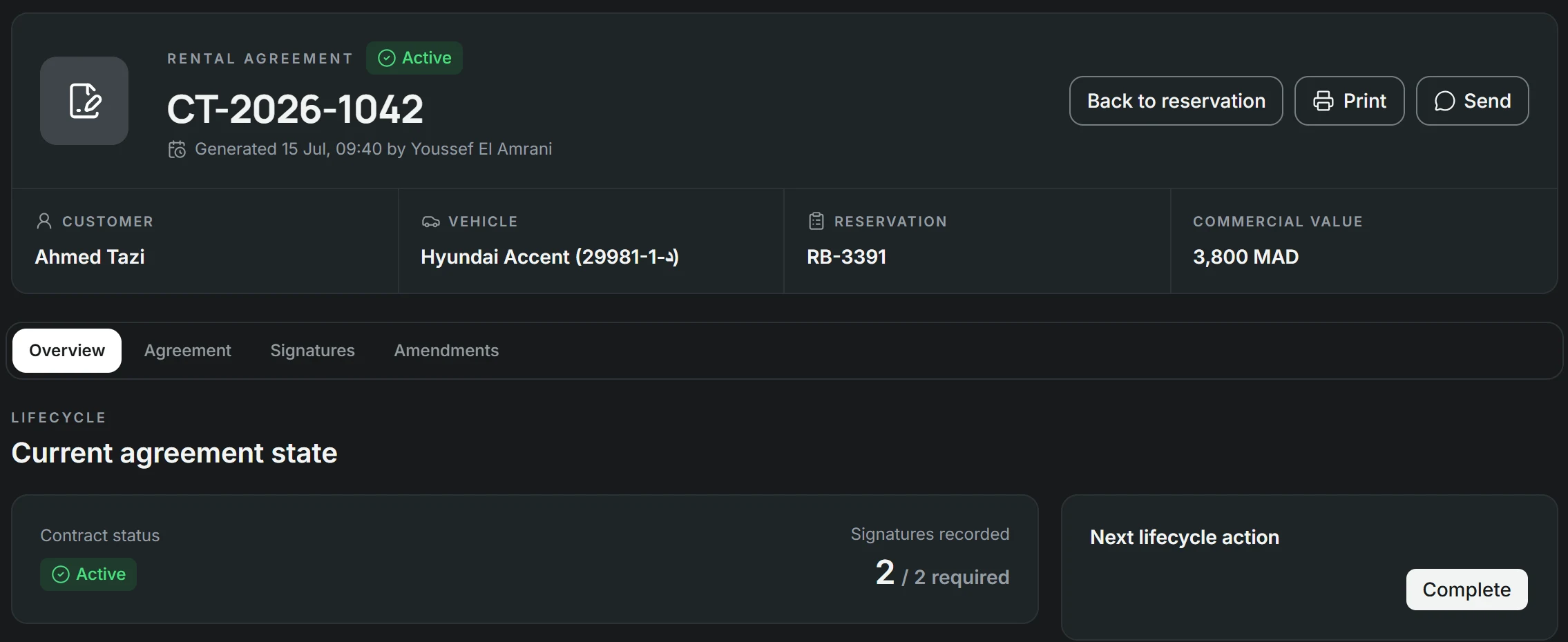
The customer and the agent sign on the phone or tablet. The contract becomes “signed” as soon as both signatures are in, and can no longer be edited: a change becomes an amendment, next to the original.
04Documents
ID, licence and contract, filed with the rental.
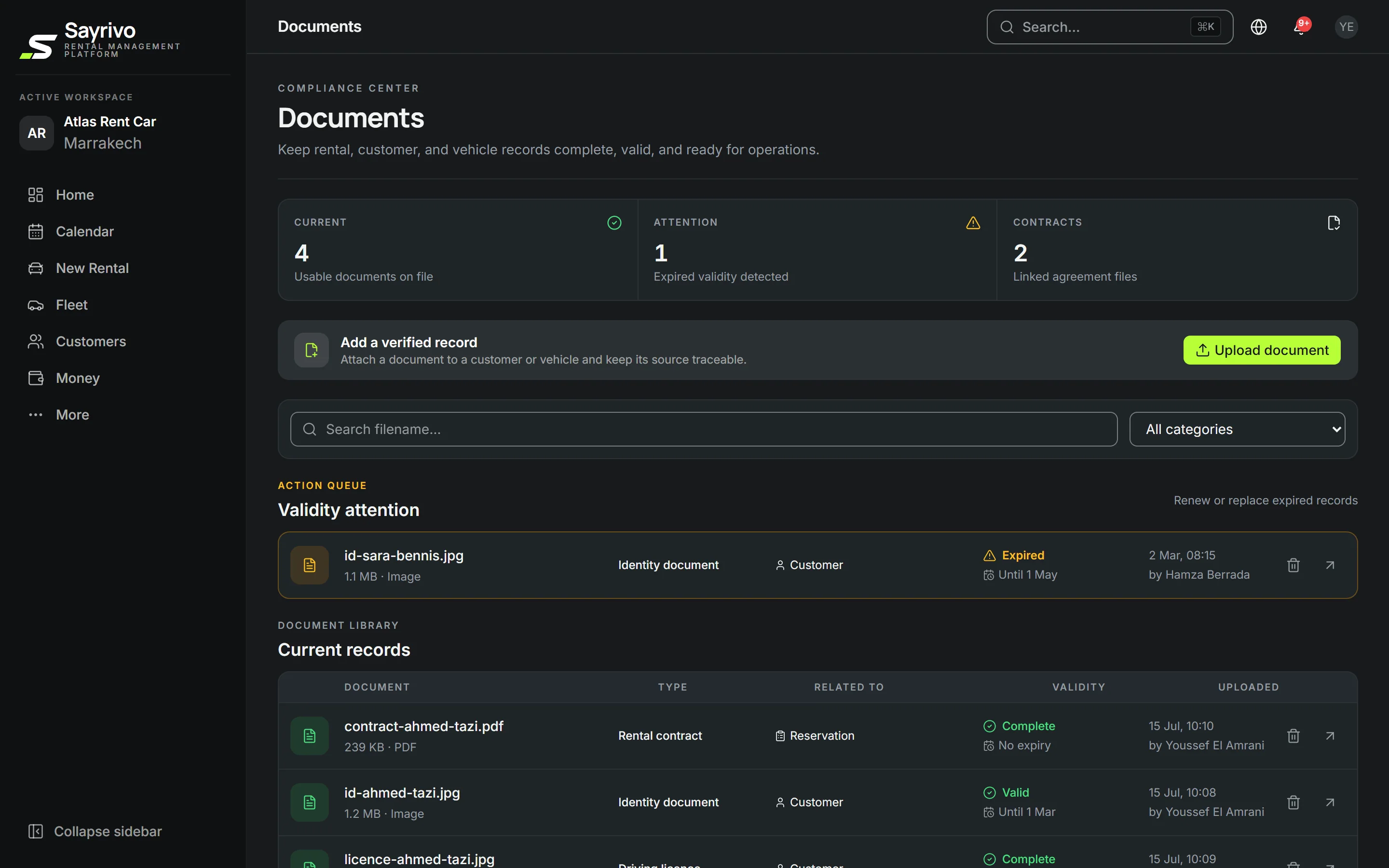
Customer and vehicle documents are filed in the right place, read automatically where possible and flagged before they expire. A name spelled differently on the ID card and the licence is pointed out.
Can I keep my own contract?
Yes. Send your contract as a PDF or a photo: SAYRIVO finds where each detail goes, you check the positions, and from then on it fills in your contract for every rental.
Rental contractsI use pre-printed contracts. Does that work?
Yes. SAYRIVO can print only the details, each in its place, onto your pre-printed contracts. The pickup part is filled at pickup, the return part at return.
Is an on-screen signature legally binding?
SAYRIVO records the signature with the date, time and device used. It is not a certified electronic signature: if you need an original signed by hand, print the contract and have it signed at the counter.
What happens if I change a signed contract?
A signed contract is never edited. The change becomes an amendment, stored next to the original.
Where are customer documents kept?
With the customer's record and the rental: ID card or passport, licence, contract, receipts. Documents about to expire are flagged, and a name spelled differently from one document to another is pointed out.